

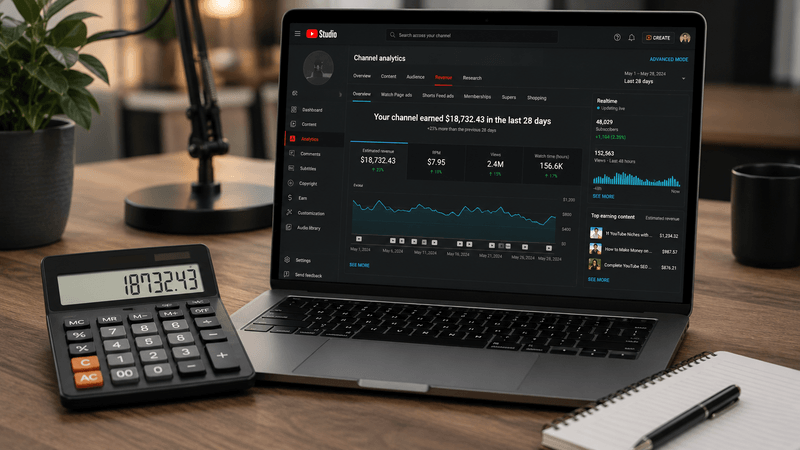
A media kit often needs a revenue range. The problem is that a public view count cannot produce a measured RPM. If you present a single number without assumptions, the reader cannot tell whether it came from YouTube Studio, an estimate, or a guess.
A better approach is to show a small scenario table with the formula, the inputs and the limits. That is more useful for a sponsor or partner than a confident number with no context.
Start with what is measured
Separate the fields you know from the fields you are assuming.
Measured or public:
- total public views
- publication dates
- video count
- public subscriber count
- format and duration
Assumed or private:
- RPM
- monetized playback rate
- audience geography
- ad fill
- seasonality
- sponsorship value
A public view count is not the same as the view basis used in a creator's actual revenue calculation. If you own the channel, use your Studio RPM as the anchor and state the period. If you do not own the channel, label every revenue number as a scenario.
YouTube defines RPM as revenue per 1,000 views after its revenue share, and CPM as the advertiser-side cost per 1,000 ad impressions. The two numbers are not interchangeable. A media kit that multiplies public views by a CPM assumption is not estimating creator revenue; it is estimating advertiser spend. Use RPM for a creator revenue scenario, and say which metric you used.
Use three assumptions
I use low, middle and high RPM assumptions instead of one number. The range shows how sensitive the result is to the input. It also prevents a reader from treating one estimate as a measurement.
The formula is:
views / 1,000 x RPM
For a channel with 250,000 monthly public views:
| Assumption | RPM | Scenario output |
|---|---|---|
| Low | $2.00 | $500 |
| Middle | $5.00 | $1,250 |
| High | $10.00 | $2,500 |
These are arithmetic examples. They are not claims about what the channel earns.
Write the assumptions next to the table
A scenario table without context is easy to misread. I add a short note:
Scenario based on 250,000 public monthly views and assumed RPM values of $2, $5 and $10. Public views may differ from the views used in YouTube revenue calculations. These are planning scenarios, not measured earnings.
The note names the input, states the formula and explains why the output is not a measurement.
Do not hide the source of the RPM
If the RPM comes from your own YouTube Studio, say so and give the period. If it comes from a category assumption, say that. If it comes from a sponsor conversation, say that too.
A reader should be able to reproduce the calculation. If they cannot tell where the RPM came from, the table is decoration.
The Revenue Estimator can help you compare assumptions for a public channel or video. It is useful for planning and sensitivity checks. It is not a substitute for the channel owner's analytics.
Separate revenue from sponsorship
Ad revenue and sponsorship revenue are different. A sponsorship may be priced per video, per campaign or per deliverable. It is not derived from RPM. Do not combine them into one "earnings" line without explaining the components.
If the media kit includes both, use separate sections:
- ad revenue scenario
- sponsorship or campaign pricing
- other revenue, if relevant
This makes the document easier to review and avoids implying that one formula explains every income source.
What not to claim
Avoid statements such as:
- "This channel earns $X per month."
- "The RPM is $Y."
- "This is the exact revenue range."
- "More views will produce this much more revenue."
Those claims require private data or a controlled test. A public scenario cannot support them.
Use language such as:
- "Scenario based on public views and assumed RPM."
- "Planning range, not measured earnings."
- "Actual results may fall outside this range."
- "The channel owner's Studio data would be required for verification."
A media kit section you can reuse
A short, honest section might look like this:
Public audience snapshot
- 250,000 public monthly views
- 18 public uploads in the last 90 days
- 42,000 public subscribers
Ad revenue scenario
Based on 250,000 public monthly views and assumed RPM values of $2, $5 and $10, the arithmetic range is $500 to $2,500 per month. This is a scenario, not a measured earnings figure. Public views may not match the views used in YouTube's revenue calculation.
What is not included
Private RPM, monetized playbacks, audience geography, sponsorships, affiliate income and taxes are not included.
A sponsor can check that section because the formula and the missing data are visible.
Why this helps with trust
A sponsor or partner can see how the number was produced and what remains unknown. If they need verified figures, they can ask for a Studio export or a creator media kit with actual data.
The same standard applies to research. If you are comparing channels, use scenarios to compare assumptions rather than ranking creators by income. The guide to YouTube revenue calculators explains the public inputs and limitations in more detail.
Keep the scenario small
Three assumptions are enough to show the range and the sensitivity without pretending to forecast.
Use public views for what they are, label RPM as an assumption, and let the reader see the formula. A precise number with no source is harder to defend.
A media kit checklist
- State the period for every public number.
- Show the formula next to the scenario table.
- Say whether the RPM came from Studio, a category assumption or a sponsor conversation.
- Keep ad revenue, sponsorship pricing and affiliate income in separate sections.
- Label the range as a scenario, not a forecast.
- Remove any line that implies the channel's actual earnings unless the owner supplied the data.
Sources and further reading
- Understand ad revenue analytics: official RPM and CPM definitions
- Get started with YouTube Analytics: where a channel owner finds RPM and revenue
- YouTube Data API: videos.list: public views and metadata used in a scenario
- YouTube Partner Program overview: how monetization and payments fit together