

Most arguments about YouTube channels mix three different kinds of information:
- something you observed in public
- something you calculated from those observations
- something you inferred without evidence
Keeping those categories separate makes research easier to check and harder to overstate. It also explains why a public tool can be useful without being able to answer every question.
Observed: what the public data shows
The YouTube Data API can return public fields such as a video's title, description, publication date, duration, category, tags, view count, like count and comment count when those values are available. A channel response can include its name, ID, creation date, public subscriber count, lifetime views and video count.
Those values are snapshots. A view count at 10:00 is not the same observation as a view count at 18:00. If you record a public value, record the date and time with it. This is the minimum standard for a report that someone else can check.
The API does not return every field for every request. You have to ask for parts such as snippet, statistics, contentDetails or topicDetails. A missing statistics block is not the same as zero views. It usually means the request did not include that part, the field was hidden, or the API returned an error.
| Public field | What it is good for | What it cannot tell you |
|---|---|---|
snippet.title |
Wording and topic patterns | Whether the title caused a click |
statistics.viewCount |
A dated snapshot | Watch time, retention or traffic source |
statistics.likeCount |
A ratio against views | Satisfaction or recommendation priority |
statistics.commentCount |
A rough response signal | Whether comments were positive |
contentDetails.duration |
Separating Shorts from long-form | Whether the video held attention |
snippet.categoryId |
The platform category | The viewer's actual topic |
snippet.tags |
Visible metadata patterns | Whether tags helped distribution |
The Video Data Inspector is built for this step. It puts the public fields in one view and lets you copy or export them. It does not add private values.
A videos.list request costs one quota unit, while a search.list request costs 100 units against the default 10,000-unit daily quota. That is why a careful audit starts from a channel ID or a known video ID when possible. The quota guide has the current numbers.
Calculated: what you derive from observations
A calculation can be useful even when the inputs are simple. Two common examples:
views / days since publication
(likes + comments) / views x 100
The first is a lifetime average. It does not show current velocity, and it does not show what happened in the first week. The second is an engagement ratio. It does not measure retention, satisfaction or recommendation priority.
A calculation is only as good as its inputs. If two videos have different ages, formats or traffic sources, a comparison may describe the wrong difference. That is why the Compare Videos tool is a starting point, not a conclusion.
Unknown: what only the channel owner can see
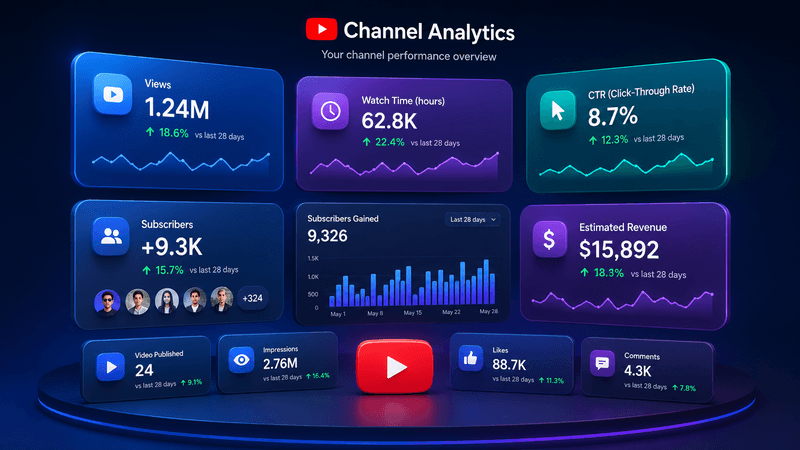
YouTube Studio contains private analytics that public tools cannot access:
- impressions and click-through rate
- average view duration and audience retention
- traffic sources
- returning viewers
- audience geography
- monetized playbacks and RPM
- revenue and payment records
A public page can show that a video has many views. It cannot show whether those views came from search, suggested videos, Shorts, external links or a paid promotion. It cannot show whether the viewer watched for ten seconds or ten minutes.
A better scraper cannot access this data because it is private to the channel owner.
Why monetization claims are especially fragile
A public ad appearing before or during a video does not prove that the uploader receives the revenue. YouTube may show ads on videos that are not in the YouTube Partner Program. Public signals such as a yellow icon or a monetization badge are clues, not a confirmation of private status.
The Monetization Checker reviews public signals and explains its limits. It cannot access a creator's Partner Program decision, payment records or ad suitability settings. A score describes the tool's interpretation of visible evidence, not a measured probability of approval.
Revenue is similar. Public views can support a scenario, but they do not reveal the creator's RPM, monetized playback rate, audience mix, ad fill or tax position. The Revenue Estimator is useful for comparing assumptions. It is not an earnings report.
Categories and topics are different labels
YouTube assigns a video category through its public data. YTKits also estimates a content topic from metadata. Those labels can differ without either one being wrong.
A category is broad. A topic estimate can be narrower. If a budgeting tutorial sits in a broad category while the topic estimate says finance, that is not proof of a mistake or a recommendation penalty. The Category Checker shows both labels and explains the difference.
How to write a claim you can defend
I use a simple sentence structure:
From [public source] on [date], I observed [value]. I calculated [ratio] using [formula]. I cannot determine [private factor] from public data.
For example:
From the public video page on October 30, I observed 40,000 views and 1,200 likes. I calculated a 3% like-to-view ratio. I cannot determine the video's retention or traffic sources from public data.
That sentence gives the reader a source, a date and a limit. It also says what data would be needed to answer the next question.
A checklist before you publish a claim
- Is this value observed, calculated or inferred?
- Did I record the date and source?
- Am I comparing videos with similar age and format?
- Did I confuse a public category with a topic estimate?
- Did I imply access to private analytics?
- Did I present a scenario as a measurement?
- Would a reader know what remains unknown?
What this means for tools
A public tool should show which fields came from YouTube, which values were calculated, and which questions it cannot answer. That is more useful than a confident score with no explanation.
If you need private metrics, ask the channel owner for permission and a relevant export. If you are evaluating your own channel, use YouTube Studio. Public data can help you form a better question. It cannot replace the owner's analytics.
The YouTube Analytics API is the formal path for owner-authorized data. It uses OAuth, so the channel owner has to grant access. A public API key cannot unlock retention, impressions or revenue. That boundary is a feature, not a bug.
Sources and further reading
- YouTube Data API: videos.list: available video parts and public fields
- YouTube Data API: channels.list: channel fields and hidden subscriber counts
- YouTube Data API quota costs: request costs and daily limits
- YouTube Analytics API: owner-authorized analytics access
- Get started with YouTube Analytics: private Studio metrics
- Understand ad revenue analytics: RPM and CPM definitions