

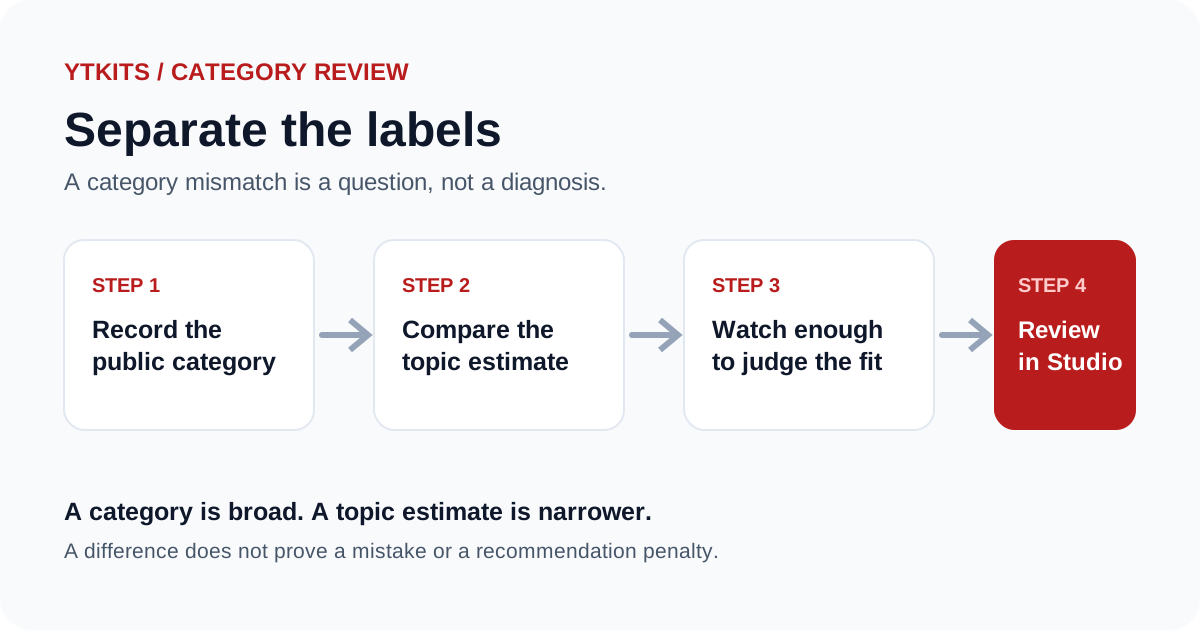
YouTube categories are easy to overread. A creator sees a category label, compares it with the content, and assumes a mismatch explains weak performance. The category is one piece of public metadata, and it cannot diagnose a performance problem.
A useful review starts with two separate questions:
- What category did YouTube attach to this video?
- What topic does the available metadata suggest?
Those answers can differ. That difference is not automatically a problem.
Categories belong to videos
The YouTube Data API returns a category for a video. It does not return a single official category for a channel. A channel can publish videos in several categories, and its latest upload is only a sample.
That is why the Category Checker shows a channel's latest public video category as a channel-level example. It is not an official classification of the entire channel.
If you are reviewing your own channel, open each video in YouTube Studio and check its individual category. Do not assume every upload should match the latest one.
Separate the category from the topic estimate
YouTube's category and YTKits' topic estimate use different label systems. The category is a broad setting attached to the video. The topic estimate is built from metadata such as the title, description and tags.
A budgeting tutorial might sit in a broad category while the topic estimate says finance. A gaming update might sit in Gaming while the topic estimate names a specific game. Neither difference proves a mistake.
The YouTube category guide explains why the labels do not map one to one. The category tool shows both values so you can compare them without merging them into one claim.
Before changing a category
I ask four questions before changing a video's category:
- Does the current category describe the video's actual content?
- Is the video part of a series with a consistent format?
- Am I changing it for accuracy, or because I hope it will improve reach?
- What will I check after the change to evaluate the result?
The last question matters. If the goal is accuracy, the change is easy to judge. If the goal is reach, the category change alone is a weak test. Many other factors affect distribution.
YouTube's help documentation explains how to edit video details and choose a category. The setting is under the video's additional options in YouTube Studio. Channel basic info does not contain a channel-wide category setting.
If you are checking categories through the API, two endpoints do different jobs. videoCategories.list returns the categories available for a region, and videos.list returns the categoryId attached to a specific video. The category list can change by country and over time, so record the region and the date with the result. The videoCategories.list reference and the videos.list reference document the fields.
A short review workflow
I use this sequence when a category result looks surprising:
- Open the video's public metadata and record the listed category.
- Read the title and description to identify the actual viewer need.
- Compare the listed category with the topic estimate.
- Watch the video long enough to understand its purpose.
- Check whether the current category is inaccurate or only broad.
- If it is inaccurate, review the setting in YouTube Studio.
- Record the date and reason for any change.
This workflow keeps the decision tied to the content. It does not treat a label mismatch as evidence of a recommendation penalty.
What a mismatch can mean
A mismatch can mean several things:
- the category is broad and the topic is narrower
- the metadata points to a different topic than the video delivers
- the video covers more than one subject
- the topic model is uncertain
- the category is simply inaccurate
Only the first and last cases suggest a setting worth reviewing. The middle cases may be content or metadata questions.
What a category cannot do
Changing a category does not guarantee more views, recommendations, search traffic or revenue. It also cannot reveal whether YouTube limited the video, and it does not replace retention, click-through rate or traffic-source data.
If you are the channel owner, use YouTube Studio to evaluate performance before and after any change. If you are researching another channel, state that private analytics are unavailable. The public category is context, not proof.
Keep the review small
Review the category when it is relevant to a specific decision, then move on. A full channel audit should include titles, formats, publication dates and topic patterns as well.
The Category Checker can give you the public category and a separate topic estimate. The channel audit workflow shows where that check fits into a broader review. Neither tool can tell you whether a category change will improve performance.
A decision table for a surprising category
| What you see | Likely meaning | What to do |
|---|---|---|
| Broad category, narrow topic | The category is doing its job | Leave it alone unless the content no longer fits |
| Category conflicts with the video's main subject | The setting may be inaccurate | Review it in Studio and record the reason |
| Metadata points to a different topic | The title, description or tags may be unclear | Fix the metadata first, not the category |
| Video covers several subjects | No single category will be precise | Choose the dominant subject and accept the compromise |
| Topic estimate looks wrong | The model is uncertain | Do not change the video based on the estimate alone |
That table keeps a label mismatch from turning into a made-up performance theory.
Sources and further reading
- YouTube Data API: videoCategories.list: categories available by region
- YouTube Data API: videos.list: the
snippet.categoryIdfield - YouTube Analytics: the private metrics a category label cannot explain
- YouTube Help: add tags: metadata that can influence a topic estimate