

Comparing two YouTube videos looks simple until you put the numbers side by side. One video has more views, another has a better like ratio, and a third has a higher lifetime average. The numbers can support different stories depending on which one you emphasize.
A fair comparison begins with choosing videos that belong in the same comparison.
Choose comparable videos
I compare videos when they share at least three of these:
- a similar topic or viewer need
- a similar format, such as tutorial, review or Short
- a similar publication period
- a similar channel context
- a similar length or production pattern
A year-old tutorial and a week-old Short are not a useful pair. The first had more time to accumulate views, and the second may still be in an early distribution window. A video with a paid promotion and a video with no promotion are also a weak pair unless you are specifically studying promotion.
If the videos are not comparable, the comparison can still be interesting. It just needs a different question. "Which video performed better?" is usually the wrong question. "What changed between these two uploads?" is more useful.
Normalize for age
Total views favor older videos. I calculate lifetime views per day:
public views / days since publication
This is not current velocity. It is a lifetime average. A video can receive most of its views in the first week, then slow down. Another can receive a late boost from search or a recommendation. The average hides both patterns.
I still use the ratio because it is better than comparing raw totals. I write "lifetime average" in the notes so nobody mistakes it for a live trend.
Read engagement as a ratio, not a verdict
The visible engagement ratio is:
(likes + comments) / views x 100
A higher ratio can mean the audience responded strongly. It can also mean the video reached a small, engaged community, or that it prompted disagreement. A lower ratio can reflect a broad audience that watched without reacting.
I do not treat the ratio as retention. A viewer can like a video and leave after 20 seconds. A viewer can watch the full video and never click anything.
Check the context before the score
Before I look at the summary score in the Compare Videos tool, I check:
- publication dates
- duration and format
- whether either video is a Short, livestream or standard upload
- whether either video appears in a playlist or series
- whether one has an obvious external promotion
- whether the topic is seasonal
If I cannot verify the traffic sources, I state that. The comparison tool cannot see them either.
A hypothetical example
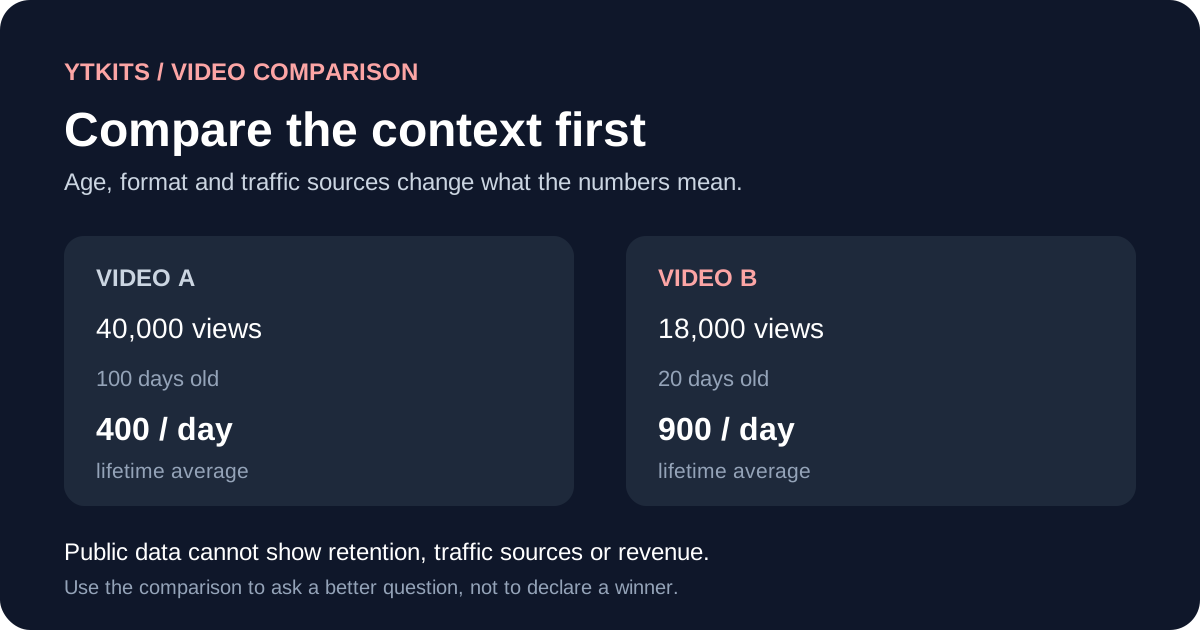
Suppose Video A has 40,000 views after 100 days and Video B has 18,000 views after 20 days. The lifetime averages are 400 and 900 views per day. Video A has more total views, while Video B has the higher lifetime average.
That does not prove Video B is performing better today. It may have received a burst of views in its first week, or it may still be growing. The comparison identifies a question: is Video B's pace still higher, or did it peak early?
| Measurement | Video A | Video B |
|---|---|---|
| Views | 40,000 | 18,000 |
| Days since publication | 100 | 20 |
| Lifetime average views per day | 400 | 900 |
| Likes | 1,200 | 720 |
| Comments | 80 | 90 |
| Visible interaction ratio | 3.2% | 4.5% |
The table shows why neither video wins on every measure. Video A leads on total views. Video B leads on lifetime average and visible interaction ratio. Neither column tells you which video had better retention or which one is more useful to the audience.
Decide what the comparison is for
I use comparisons for three different jobs:
Choosing a format to test
I compare videos with similar topics but different formats. The result suggests a test, not a permanent rule.
Finding a video worth studying
If one video stands out in a fair pair, I watch it and compare the opening promise, structure and pacing. The numbers point me to the video; they do not explain the result.
Checking my own assumptions
If I think a thumbnail change caused a difference, I compare videos published around the same time with similar topics. If the dates, traffic sources or formats differ, I keep the claim provisional.
Write the comparison down
A useful comparison note includes:
- Why these two videos were chosen.
- Which fields were public and when they were recorded.
- Which calculations were used.
- What could explain the difference besides the obvious answer.
- What will be checked next.
That note is more valuable than a screenshot of a score. It shows the reasoning and leaves room for correction.
What the comparison cannot tell you
A public comparison cannot show:
- retention or watch time
- impressions or click-through rate
- traffic sources
- audience geography
- monetized playbacks or revenue
- whether YouTube recommended one video more than the other
Only the channel owner can see those values in YouTube Studio. If you are comparing your own videos, use Studio before making a production decision.
When you own the channel, use Studio first
For my own videos, the public comparison is the last step, not the first. I open YouTube Studio > Analytics > Advanced mode, set the same date range for both videos, and compare:
- impressions and click-through rate
- average view duration and average percentage viewed
- traffic sources
- returning viewers
- audience geography, when the sample is large enough
The public view count comes after that. If the Studio metrics and the public numbers point in different directions, I trust the private metrics for production decisions and use the public numbers only for context.
A comparison note you can reuse
| Field | What to record |
|---|---|
| Question | What decision is this comparison supporting? |
| Video A and B | URLs, publication dates and formats |
| Capture date | The date you recorded the public values |
| Public values | Views, likes, comments, duration |
| Calculations | Views per day and visible interaction ratio |
| Context | Promotion, playlist, seasonality, format differences |
| Unknowns | Retention, impressions, traffic sources, revenue |
| Next step | Watch the videos, check Studio, or run a test |
That note is more useful than a single score because it shows what the comparison can and cannot support.
Sources and further reading
- YouTube Data API: videos.list: public fields used in the comparison
- Get started with YouTube Analytics: private metrics for your own videos
- Impressions and click-through rate FAQs: how YouTube defines impressions and CTR
- Understand ad revenue analytics: why public views do not equal revenue
The Compare Videos tool can organize public metrics. The rest of the judgment belongs to you.