

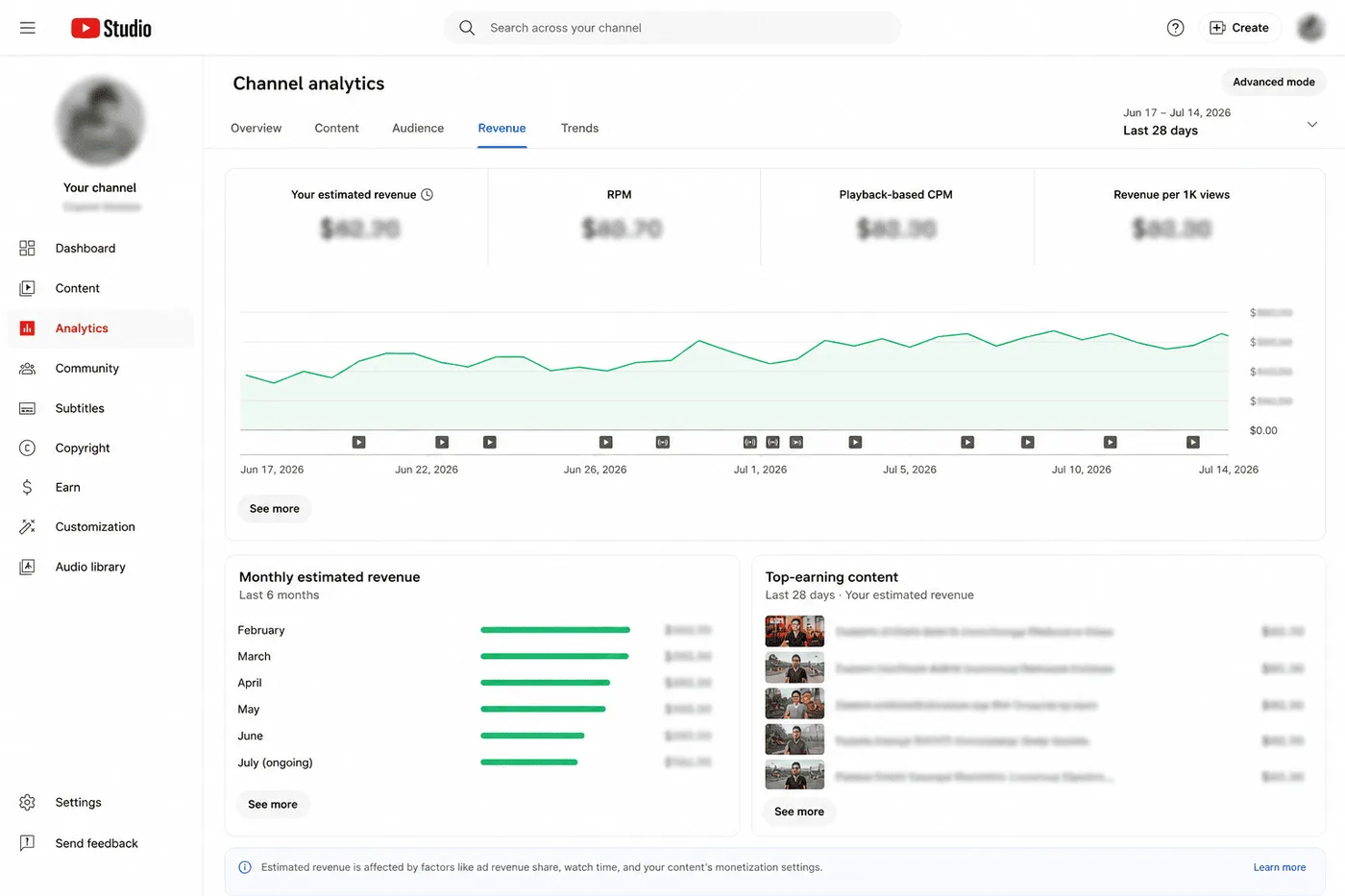
A public website cannot know another creator's exact YouTube earnings. Revenue, audience geography, playback-based CPM, monetized playbacks and many adjustments are private to the channel owner.
The YTKits revenue tool therefore produces a scenario, not an earnings report. This article documents what goes into that scenario, what the arithmetic means and where the estimate can fail.
September 2026 view-count note: YouTube now counts public views from the first frame of playback, while it says YPP earnings continue to use engaged views and engaged watch hours. The public count used in this calculator can therefore differ from the earnings-related count even when you enter your own Studio RPM. See our explanation of the August 24 update and YouTube's metric-counting guidance.
The calculation in one line
The basic model is:
Estimated revenue = eligible view count ÷ 1,000 × assumed RPM
If a scenario uses 100,000 views and an RPM assumption of $1.50, the arithmetic produces $150. That does not mean the channel earned $150. It means that if the chosen views and RPM accurately describe the period, $150 is the corresponding estimate.
Showing the assumption is more useful than presenting one unexplained number.
Inputs taken from public YouTube data
When a user enters a public channel or video, YTKits can request available data through the YouTube Data API. Depending on the input, that can include:
- Public view counts
- Upload dates
- Public video category IDs
- Video duration
- Channel and video metadata
The API does not provide another channel's revenue, RPM, CPM, monetized playback count, audience countries or ad suitability decisions. YTKits does not have access to the creator's YouTube Studio account.
The YouTube Data API documentation is the primary reference for the public fields applications can request.
Inputs that are assumptions
The calculator asks for or applies assumptions where public data is unavailable. These may include:
- RPM range
- Audience country or market
- Content category
Category and country can influence a user's choice of RPM, but they do not reveal the actual value. Two videos in the same category and country can earn differently because of season, viewer mix, ad demand, format, suitability and other factors.
For that reason, the tool should be used with a range. Users who know their own RPM should replace the illustrative assumption with their YouTube Studio value.
Why RPM is used for creator revenue scenarios
YouTube defines RPM as revenue earned per 1,000 views after YouTube's revenue share, including applicable revenue sources represented in the metric. CPM describes advertiser cost before the creator revenue share and is based on ad impressions or monetized playbacks, depending on the reported CPM field.
Using CPM directly as creator revenue would mix two different measurements. For a scenario about creator earnings, RPM is the more understandable input, while the creator's own Studio data remains the reliable source.
See YouTube's official explanation of RPM and CPM.
Worked example with a range
Suppose a video has 250,000 public views. A user wants to explore an RPM range from $0.50 to $2.00.
Low scenario: 250,000 ÷ 1,000 × $0.50 = $125
High scenario: 250,000 ÷ 1,000 × $2.00 = $500
The defensible output is $125-$500 under the selected assumptions. It is not "this video earned between $125 and $500". Even the range may miss the real amount if the view period, format, monetization status or RPM assumption is wrong.
Why two calculators disagree
Calculators can display different figures for the same channel because they make different choices:
- One may use lifetime views while another estimates recent views.
- Their default RPM ranges may differ.
- One may treat Shorts separately while another applies a long-form assumption.
- Category or geography assumptions may differ.
- Public view counts may have been collected at different times.
The calculator with the most precise-looking number is not necessarily the most accurate. A useful tool exposes its assumptions and lets the user change them.
Category prediction and revenue are separate steps

YTKits may use category information to suggest a starting scenario. The public video category comes from YouTube metadata. A YTKits topic prediction is a separate model output based on public text signals.
Neither field reveals a channel's advertiser demand or actual RPM. The category should be treated as context for exploring assumptions, not evidence of earnings.
What the calculator intentionally does not claim
The result does not verify:
- Whether a channel is currently monetized
- How many views displayed ads
- The creator's audience geography
- Sponsorship, affiliate or product income
- Revenue adjustments, invalid traffic or tax
- Private YouTube Premium and Shorts revenue details
- Exact monthly or lifetime earnings
If you own the channel, YouTube Studio is the source for those figures.
How I use the tool responsibly
I built the calculator to answer scenario questions, such as:
- What does this view count produce at my known RPM?
- How much does the result change when the RPM assumption changes?
- How wide should a planning range be?
- How sensitive is a target to changes in views?
I do not use it to announce another creator's income. Public data is insufficient for that conclusion.
Method limitations
The default RPM ranges used by YTKits are illustrative working assumptions assembled from public reports and third-party advertising discussions. They are not an official YouTube dataset or a statistically representative market benchmark. They should not be displayed as measured averages.
The tool is strongest when a creator enters a value from their own Studio analytics and uses it for planning. It is weakest when estimating a channel whose format, country mix and monetization status are unknown.
Try the scenario calculator
Use the YTKits revenue calculator to change the assumptions and see the formula update. Read the output as a conditional scenario, then use your own YouTube Studio revenue report for actual earnings.
How to validate a calculator result
Before using a scenario in a media kit or a business plan, check these four things:
| Check | Why it matters |
|---|---|
| View basis | Public views may not match the views used in revenue calculations |
| RPM source | A Studio RPM from the same period is stronger than a category assumption |
| Format mix | Shorts and long-form use different revenue systems |
| Date range | Seasonality and audience mix can change the result |
If you cannot answer those four points, keep the output as a rough range and label it that way.
Sources and last check
I checked the official definitions on October 30, 2026. The formulas in this article are original explanations built on YouTube's published metric definitions.
- Understand ad revenue analytics: RPM, CPM and playback-based CPM
- YouTube Data API: videos.list: public views, duration and metadata
- Get started with YouTube Analytics: Studio revenue and audience reports
- YouTube's first-frame view update: why public views and earnings-related views can differ