My gaming channel was rejected twice from the YouTube Partner Program for reused content before a video appeal succeeded. This article explains what I changed and what I showed in the appeal. It does not identify YouTube's internal detection method, because the rejection notice did not provide that information.
That limitation matters. I originally assumed an automated system had misunderstood my videos, but I could not verify that. YouTube says it reviews channels as a whole and may use both automated systems and human review in different enforcement processes. A creator cannot determine the exact reviewer or signal from a generic rejection notice.
My channel's situation
I made gaming videos using my own scripts and voiceovers, with community gameplay footage as background material. After the first rejection, I reviewed the catalog, removed a few clips that did not add enough context, improved the channel description, and applied again when Studio allowed it.
The second application received the same reused content reason. At that point, the main problem I could address was proof of authorship: a reviewer looking only at the finished videos might not know how much scripting, narration, and editing I contributed.
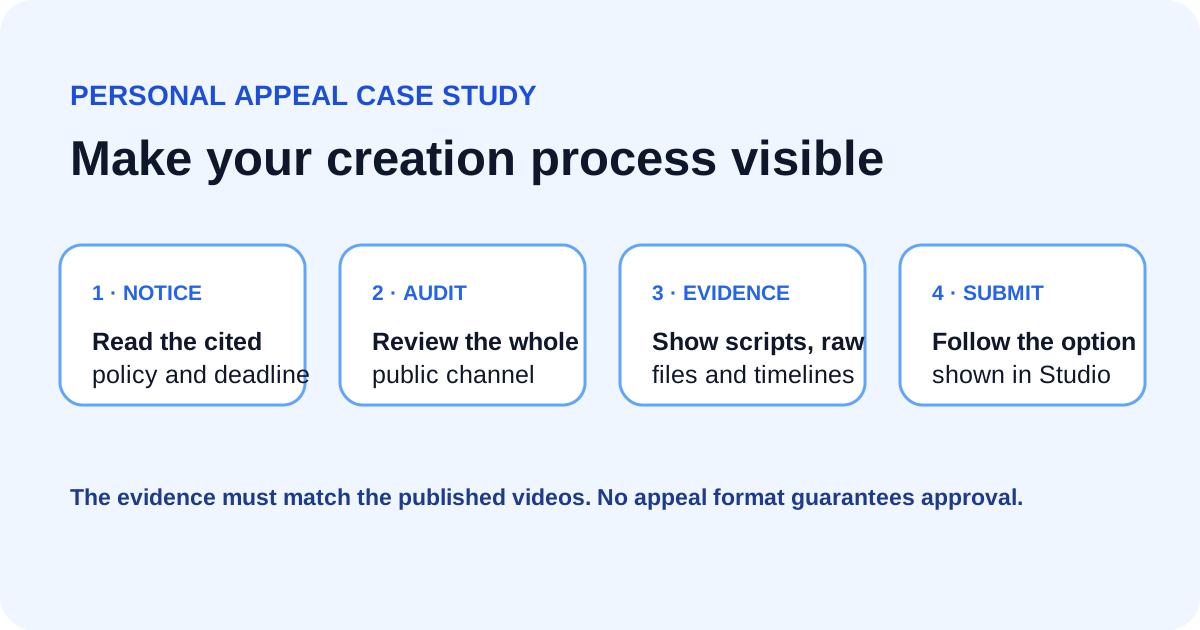
I submitted an unlisted video appeal that showed:
- The channel URL
- My script and research notes
- The editing timeline with separate narration and visual tracks
- Examples of how I selected and changed clips to support the commentary
- How the same process applied across the channel
The appeal was accepted. That result describes my case; it does not guarantee that the same structure will succeed for a channel whose published videos do not meet the policy.
What YouTube's reused content policy says
YouTube's channel monetization policies define reused content as material repurposed from YouTube or another source without significant original commentary, substantive modification, or educational or entertainment value.
The policy applies to the channel as a whole. YouTube says reviewers may look at videos, the channel description, titles, and descriptions to understand how the creator participated in or produced the work.
YouTube also separates reused content from copyright enforcement. Permission, a Creative Commons license, or the absence of a copyright claim does not automatically make a video eligible for monetization. A creator still needs to make the original contribution clear.
A practical channel review
Before appealing or applying again, inspect the channel from a reviewer's perspective.
Make authorship visible
If your value comes from research, commentary, teaching, or editing, make that contribution easy to recognize in the finished video. A spoken explanation tied closely to the visuals is clearer than generic background footage beneath a summary anyone could read.
Review repeated formats
YouTube's current policies also address repetitive or mass-produced content. A consistent series format can still be useful, but each video should deliver its own substantive lesson, analysis, story, or entertainment value.
Check third party material
For every borrowed clip, ask what your version adds. Commentary, criticism, explanation, a new narrative, or substantive visual editing can help demonstrate original value. Minimal cropping, subtitles, or transitions may not be enough.
Explain the channel clearly
Your About section and descriptions should accurately explain who makes the videos and how. Do not claim ownership of footage you licensed or received from another creator. State the contribution you actually made.
Preparing an eligible video appeal
YouTube's appeal instructions are the source of truth for eligibility, deadlines, and format. The current guidance says an eligible video appeal must be a new unlisted upload, be under five minutes, include the channel URL within the first 30 seconds, address the relevant program policies, cover the channel as a whole, and show how the content was filmed or edited.
The option and deadline shown in your YouTube Studio account take priority because appeal paths differ by situation.
A useful outline is:
- Identify the channel. Show the URL and describe what the channel publishes.
- Address the cited policy. Explain how the channel adds original commentary or substantive editing.
- Show the work. Open project files, scripts, raw recordings, and timelines.
- Connect examples to the whole channel. Do not rely on one unusually original video if most uploads use a different process.
- Keep claims factual. Show evidence instead of promising that the channel follows every rule.
Do not treat this as a magic script. The evidence in the appeal must match the public videos.
Copyright and reused content are different checks
Copyright rules concern rights in the underlying material. Reused content is a YouTube monetization policy about the original value visible across the channel. A video can avoid a copyright claim and still be ineligible for YPP. It can also add significant commentary and still face a separate copyright issue.
That is why “no copyright” footage is not a complete monetization strategy. Keep license records, follow the rights holder's terms, and make your own creative contribution clear.
What I learned
My successful appeal showed the production work that was difficult to infer from the finished gaming videos. The strongest lesson was to make authorship visible before applying, both in the content and in the channel description.
The YTKits Monetization Checker can organize a public channel review, but it cannot see private Studio notices, determine YouTube's internal review method, or predict approval. Always follow the reason and deadline shown in YouTube Studio.
Frequently asked questions
Does original voiceover guarantee approval?
No. YouTube reviews the channel as a whole and looks for significant original commentary, modification, or value. A voiceover can help, but its substance and relationship to the visuals matter.
Should I delete videos before an appeal?
Follow the instructions shown in Studio. YouTube's appeal page says an appeal should show the channel in its current state and tells creators not to delete videos before submitting an appeal. If you are preparing to reapply instead, review the specific guidance in your account.
Can licensed or Creative Commons footage still count as reused content?
Yes. Rights permission and YPP eligibility are separate questions. YouTube can consider a channel reused even when the creator has permission to use the material.