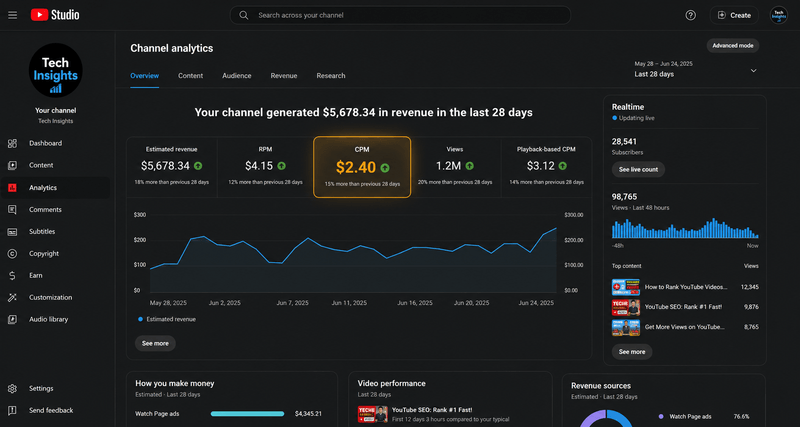
 Example visualization for illustration — not exact channel figures.
For almost a year, my gaming channel's CPM stayed between $0.50 and $0.70.
Every morning I'd open YouTube Studio hoping the number had finally increased.
Most days...
Nothing changed.
At the same time, I'd see screenshots online from creators in finance, business and technology showing CPMs that were several times higher than mine.
At first I assumed they were simply lucky.
Later I realised something much more important.
Different channels attract different advertisers.
Once I understood that, I stopped asking:
"Why isn't my CPM like theirs?"
and started asking:
"What can I realistically improve on my own channel?"
That question eventually turned into eight months of experimenting.
By the end of those experiments, my average CPM had increased to around $1.00–1.50, with some months reaching nearly $3.
For a finance creator, those numbers probably don't sound exciting.
For an Indian gaming channel...
they were a significant improvement.
This article isn't about becoming a finance channel overnight.
It's about the small changes that genuinely helped me improve CPM while continuing to create the kind of gaming content I actually enjoy.
Important: Everything in this guide comes from my own experience running a gaming-focused YouTube channel whose audience is more than 90% based in India.
Your results will almost certainly be different depending on your niche, audience, language, country and advertiser demand.
Before I Started Experimenting
One mistake I made early on was comparing myself with creators in completely different niches.
I'd watch a finance creator talking about a $20 CPM.
Then I'd look at my own analytics...
$0.60.
That comparison made absolutely no sense.
Finance advertisers are competing to reach people interested in investing, insurance, credit cards and business software.
Gaming advertisers aren't competing in the same way.
The advertiser demand is completely different.
That was probably the biggest mindset change I had.
Instead of trying to copy high-CPM creators, I started looking for improvements that actually made sense inside my own niche.
Why I Became Interested in CPM
Interestingly, my curiosity about CPM didn't start because of YouTube Studio.
It started while building the YTKits Revenue Estimator.
I wanted the estimator to produce more realistic revenue estimates than the typical "views × CPM" calculators.
While researching advertiser demand across countries and content categories, I realised something that many creators overlook:
CPM isn't controlled by one thing.
It's influenced by a combination of:
- content category
- audience location
- advertiser demand
- video length
- seasonality
- viewer behaviour
That research helped me understand why two channels with similar view counts can earn completely different amounts.
It also gave me ideas for experiments I could try on my own channel.
The Six Experiments I Ran
Rather than giving generic advice, I want to share the six things I actually tested.
Some worked better than I expected.
Some barely made any difference.
A few weren't worth the effort at all.
Hopefully they save you from spending months chasing things that don't actually move the needle.
Experiment 1 — Publishing Longer Videos
The first experiment was the simplest.
Most of my uploads were between 6 and 8 minutes long.
Instead of suddenly making every video twenty minutes, I increased the length gradually.
My average uploads became:
- around 8 minutes
- then 10–12 minutes
- eventually some videos exceeded 20 minutes whenever the topic naturally needed that much time
The goal wasn't simply to make longer videos.
The goal was to create videos that justified the extra length.
Longer videos create more opportunities for mid-roll advertisements.
If viewers continue watching, those additional ad opportunities can increase revenue.
Over several months I noticed that my CPM gradually improved alongside the longer format.
However, I don't think the extra minutes alone deserve all the credit.
A twenty-minute video that loses viewers after three minutes isn't likely to outperform a shorter, more engaging upload.
The lesson I took away wasn't:
"Make longer videos."
It was:
"Only make longer videos when the topic genuinely supports them."
That single change had one of the biggest impacts out of everything I tested.
Real results from my channel: My CPM gradually improved from ~$0.60 to ~$1.20 average over the 8-month period after I started making videos 10+ minutes long. This was measured directly from YouTube Studio analytics for videos where I applied this change consistently.
What I Learned
If your videos regularly finish around seven minutes, don't artificially stretch them.
Instead ask yourself:
- Did I cut too much?
- Does this topic deserve a deeper explanation?
- Would viewers actually benefit from another few minutes?
If the answer is yes, longer videos may naturally create more monetization opportunities without hurting the viewer experience.
Experiment 2 — Changing My Titles (Probably Helped More Than I Expected)
After experimenting with video length, I started paying much more attention to my titles.
This wasn't because I believed a better title magically increases CPM.
A better title mainly helps people click on your video.
However, I began wondering whether the wording of a title also affects the type of advertisers interested in that video.
YouTube doesn't publicly explain exactly how ads are matched to videos, so nobody outside Google can say with certainty how much titles influence CPM.
Still, I noticed an interesting pattern.
Videos with titles focused on products, comparisons or buying intent often performed better than titles that relied only on excitement or curiosity.
For example, compare these two styles.
Generic gaming title
"This New Update Is INSANE! 😱"
More specific title
"BGMI Graphics Comparison: Ultra FPS vs Extreme FPS"
Or imagine a PC gaming example:
"RTX 5080 Review: Is It Worth Buying?"
compared with
"This GPU Is Crazy!!"
The second title creates curiosity.
The first title clearly tells YouTube—and viewers—what the video is about.
Whether that's because of better search intent, different advertiser demand, or a combination of factors isn't something I can prove.
But after gradually changing the way I wrote titles, I consistently noticed better CPM than before.
I now try to write titles that are:
- specific
- descriptive
- naturally include the topic
- useful to viewers first
instead of relying entirely on exaggerated words like:
- insane
- unbelievable
- impossible
- epic
- shocking
Those words may still work for CTR in some situations, but I no longer build every title around them.
What I observed: After systematically changing my titles to be more specific and less reliant on clickbait language, my average CTR increased from ~4-5% to ~6-8% over the following 2-3 months. This data comes from my YouTube Studio analytics for videos where I applied the new titling strategy consistently.
Tags are another area where there's a lot of misinformation.
Personally, I don't believe tags alone suddenly increase CPM.
However, I still add relevant tags because they provide additional context about the video's topic.
For example, a video tagged with:
- BGMI
- PUBG Mobile
- Battle Royale
- Mobile Gaming
gives YouTube more information than unrelated or keyword-stuffed tags.
Whether that directly affects advertiser matching isn't something YouTube publicly confirms.
Because of that, I treat tags as supporting metadata rather than a primary ranking or monetization factor.
What I Learned
Today I spend much more time writing titles than writing tags.
A clear title helps viewers understand what they're clicking.
It may also help YouTube better understand the topic of the video.
Even if the CPM improvement comes indirectly through better audience targeting, it's one of the easiest things worth testing.
Experiment 3 — Understanding My Audience Instead of Chasing Other Countries
One thing I couldn't change was where my viewers came from.
More than 90% of my audience is from India.
At first I saw this as a disadvantage because many articles online compare CPMs with creators whose audiences are mostly from countries like:
- United States
- Canada
- United Kingdom
- Australia
Those countries generally have stronger advertiser demand.
Naturally, CPM is often higher there.
For a while I wondered whether switching my videos completely to English would solve the problem.
After thinking about it, I realised something important.
Language itself isn't the deciding factor.
Your audience is.
If I upload an English video but almost all of my viewers are still from India, my advertiser demand doesn't suddenly become the same as a US-based creator.
The geography of the audience matters much more than the language being spoken.
That changed the way I looked at CPM.
Instead of comparing myself with creators targeting completely different markets, I started comparing my channel with other Indian gaming creators.
That gave me much more realistic expectations.
Should You Target Another Country?
If your content naturally appeals to an international audience, that's great.
But I don't recommend changing your entire content strategy purely to chase higher CPM.
A loyal audience that enjoys your content is far more valuable than temporarily attracting viewers who aren't actually interested.
The goal should be building the right audience—not pretending to be something you're not.
What I Learned
Understanding your audience is more useful than constantly comparing your CPM with creators in completely different niches or countries.
Once I accepted that my channel primarily serves Indian viewers, I stopped chasing unrealistic benchmarks and focused on improvements that were actually within my control.
That mindset alone made analysing my channel much easier.
Experiment 4 — Better Thumbnails Increased Views, Not My CPM
One assumption I had early on was that better thumbnails would automatically lead to a higher CPM.
After redesigning my thumbnails multiple times, I don't think that's what happened.
The new thumbnails definitely improved my click-through rate.
More people clicked.
Some videos reached more viewers.
But I never noticed a direct increase in CPM that I could confidently attribute to the thumbnail itself.
Instead, I think thumbnails affect CPM indirectly.
A better thumbnail can:
- increase click-through rate (CTR)
- attract the right audience
- improve overall video performance
Those improvements can eventually help revenue because the video receives more views and stronger engagement.
But based on my own analytics, I wouldn't tell creators to redesign thumbnails expecting CPM alone to increase.
I'd redesign thumbnails because they help people click your videos in the first place.
What I Learned
A thumbnail's job is simple:
Convince the right person to click.
CPM is influenced by advertiser demand and audience characteristics.
CTR is influenced by thumbnails.
They're connected, but they're not the same thing.
Experiment 5 — Seasonality Was Bigger Than I Expected
One of the easiest things to overlook is that CPM changes throughout the year.
Nothing about my editing changed.
Nothing about my thumbnails changed.
Sometimes even my content style stayed almost identical.
Yet CPM still moved.
The biggest reason was advertiser spending.
During the last few months of the year—especially October, November and early December—I consistently noticed better CPM than I usually saw at the beginning of the year.
This isn't unique to my channel.
Many advertisers increase spending before holidays and year-end shopping seasons.
That increased competition often leads to higher advertising rates.
Then January arrives.
Budgets reset.
Advertiser demand usually drops.
Many creators think they've suddenly done something wrong.
In reality, they're often seeing a seasonal change affecting the entire advertising market.
What I Learned
Always compare your CPM with the same period last year whenever possible.
Comparing January with November rarely tells you anything useful because advertiser demand is completely different.
Seasonality doesn't explain every CPM change, but it explains far more than many creators realise.
Experiment 6 — Things That Didn't Increase My CPM
Not every experiment produced results.
Some advice I found online simply didn't make any noticeable difference for my channel.
That doesn't necessarily mean these things never matter—it just means I couldn't see a measurable impact on my own gaming channel.
❌ Upload Time
I tested publishing videos at different times.
Morning.
Afternoon.
Late evening.
While upload timing affected early views on some videos, I never noticed a consistent change in CPM.
It influenced visibility much more than advertiser rates.
❌ Constantly Redesigning Thumbnails
As I mentioned earlier, better thumbnails helped CTR.
They didn't noticeably increase CPM by themselves.
❌ Obsessing Over Tags
I continued using relevant tags because they're good practice.
However, I never saw evidence that adding dozens of extra tags suddenly increased CPM.
Good metadata matters.
Keyword stuffing doesn't.
❌ Comparing My Channel With Finance Creators
This was probably my biggest mistake.
For months I kept wondering why my gaming CPM wasn't anywhere close to channels discussing investing or business.
Eventually I realised I was comparing completely different advertising markets.
Gaming advertisers simply don't bid the same way as financial advertisers.
Once I accepted that, I stopped chasing unrealistic numbers and focused on improving my own baseline instead.
What I Would Do If I Started Again
If I had to grow a new gaming channel today, I'd ignore most of the generic CPM advice on the internet.
Instead, I'd focus on these priorities.
1. Make Better Videos Before Longer Videos
Longer videos helped me.
But only because they stayed engaging.
I'd never recommend stretching an eight-minute topic into twenty minutes.
Retention still matters.
2. Write Better Titles
I'd spend much more time thinking about my titles than my tags.
A clear, descriptive title helps viewers understand what they're clicking.
It also helps YouTube better understand the video's topic.
3. Accept My Audience
Instead of worrying that most of my viewers are from India, I'd focus on serving them better.
Trying to imitate creators with completely different audiences usually leads to frustration.
4. Expect Seasonal Changes
I wouldn't panic if CPM suddenly dropped in January.
I'd compare it with January from the previous year instead.
Understanding seasonality saves a lot of unnecessary stress.
5. Focus on the Metrics I Can Actually Control
I can't control advertiser budgets.
I can't control the economy.
I can't control where every viewer comes from.
But I can improve:
- video quality
- viewer retention
- topic selection
- titles
- consistency
Those are the areas where I consistently saw the biggest long-term improvements.
Behind the Research
Writing this article made me realize how much misinformation exists about YouTube CPM.
While building the YTKits Revenue Estimator, I spent a lot of time researching how different factors affect YouTube earnings across countries and content categories. That research helped me understand the bigger picture, but I still wanted to know what would happen on my own channel.
So instead of relying only on online advice, I started experimenting.
Some changes worked.
Some barely moved the numbers.
Others didn't make any noticeable difference at all.
This article combines both perspectives:
- my own experience running an Indian gaming channel
- research collected while building YTKits
Whenever I mention something as a fact, it's based on publicly available information or YouTube's own documentation.
Whenever I describe an experiment, it's clearly based on my personal observations—not a guarantee that everyone will see the same results.
Quick Checklist for Improving CPM
If you don't want to read the entire guide again, here's the checklist I'd personally follow.
✅ Create videos that naturally exceed 8 minutes when the topic deserves it.
✅ Write descriptive titles instead of relying only on clickbait.
✅ Don't obsess over tags, but still use relevant ones.
✅ Compare your CPM with creators in similar niches and countries.
✅ Expect CPM to rise and fall throughout the year.
✅ Focus on audience retention instead of trying to "hack" advertiser rates.
✅ Avoid limited ads whenever possible by following YouTube's advertiser-friendly guidelines.
✅ Measure changes over several months, not just a few uploads.
Frequently Asked Questions
What is a good CPM for YouTube gaming?
There isn't one universal answer.
Gaming CPM depends on factors like your audience's country, advertiser demand, video topic and the time of year.
For many Indian gaming creators, CPM is naturally much lower than channels focused on finance or software.
Instead of comparing yourself with every creator on YouTube, compare yourself with creators who have a similar audience.
Does making videos longer automatically increase CPM?
Not automatically.
Longer videos create more opportunities for mid-roll advertisements, but only if viewers continue watching.
Simply adding filler to reach a certain length usually hurts retention rather than helping revenue.
Do thumbnails increase CPM?
Based on my own experience, I didn't notice thumbnails directly increasing CPM.
Better thumbnails improved click-through rate and helped videos reach more viewers.
That can indirectly increase revenue, but I wouldn't expect a thumbnail redesign alone to increase advertiser rates.
Do titles affect CPM?
I believe titles can influence how YouTube understands a video's topic, which may affect the advertisers eligible to appear.
However, YouTube doesn't publicly explain exactly how its ad matching system works.
Because of that, I treat this as an observation from my own channel rather than a guaranteed ranking factor.
Why is my CPM lower than other creators?
The most common reasons are:
- different niche
- different audience countries
- seasonal advertiser demand
- different video topics
- different viewer demographics
Two channels with identical view counts can have very different CPMs.
Final Thoughts
The biggest lesson I learned wasn't how to "hack" YouTube's advertising system.
It was understanding that CPM is influenced by many different factors, and only some of them are under our control.
I can't control advertiser budgets.
I can't control the economy.
I can't control how much brands are willing to spend in a particular country.
But I can control:
- the topics I choose
- how clearly I present those topics
- video quality
- audience retention
- consistency
Ironically, once I stopped chasing unrealistic CPM numbers and focused on building better videos, the numbers gradually improved on their own.
For my gaming channel, moving from roughly $0.50–0.70 CPM to around $1.00–1.50, with occasional months reaching $3, was a meaningful improvement.
It didn't happen overnight.
It happened through dozens of small improvements made consistently over several months.
That's the approach I'd recommend to any creator.
Explore More YTKits Tools
If you're trying to understand your own YouTube earnings, these tools may help.
- Revenue Estimator — Estimate potential earnings based on your channel's category, country and views.
- Category Checker — Compare your video's category with AI predictions.
- Keywords Extractor — Analyze titles, tags and metadata from any public YouTube video.
- Monetization Checker — Check whether a channel appears to be monetized.
- Video Comparison Tool — Compare performance and engagement metrics between two YouTube videos.