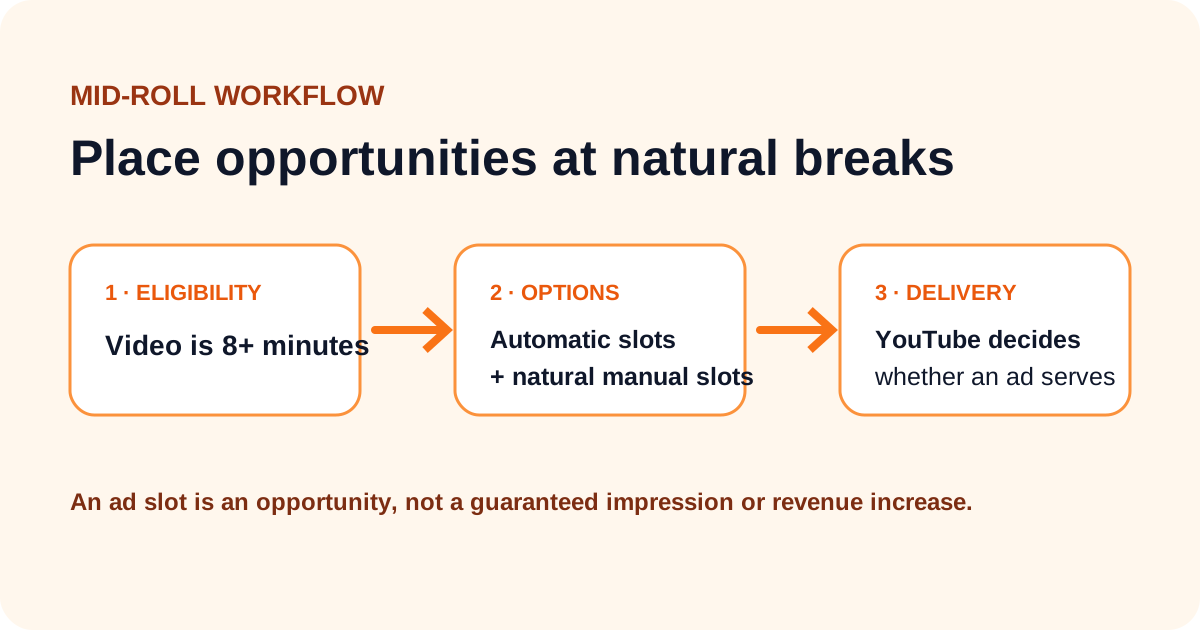
YouTube allows mid-roll ad slots on monetized videos that are 8 minutes or longer. A slot is only an opportunity to show an ad. YouTube decides whether an ad actually serves based on factors such as the quality of the break, advertiser demand, viewer experience, and the individual viewing session.
That distinction matters. Adding five markers does not mean a viewer will receive five ads, and it does not guarantee a specific increase in RPM.
What my channel test showed
On my own channel, I compared automatic placements with additional manual slots on 8-minute and longer gaming videos. Adding more manual markers to shorter eligible videos did not create a clear, repeatable revenue increase. On longer videos, manual slots were useful when YouTube missed an obvious chapter or pause.
This was an informal channel test, not a controlled experiment. The videos had different topics, audiences, and traffic patterns, so I cannot attribute every revenue difference to ad placement. I now use the test to guide where I inspect the timeline, not as a universal earnings formula.
What YouTube officially recommends
YouTube's mid-roll help page describes three options:
- Automatic slots, where YouTube looks for natural breakpoints.
- Manual slots, where the creator marks acceptable places for an ad.
- Automatic and manual slots together, which gives the ad system more possible breakpoints.
YouTube says natural audio pauses and visual transitions are more likely to serve than disruptive placements in the middle of speech or action. It also states clearly that an ad slot does not guarantee an ad.
My placement workflow
1. Start with the story, not a timer
I finish the edit before deciding where an ad could fit. I look for the end of a section, a completed tutorial step, a round ending, or a clear change of topic. These are points where the viewer already expects a pause.
2. Inspect the audio waveform
In YouTube Studio's ad editor, I zoom into the timeline and look for a short gap between sentences. A quiet waveform can help locate a natural break, but silence alone is not enough. I check that the idea before the pause is complete and that the next section has not begun.
3. Keep automatic slots enabled during the test
YouTube says automatic and manual slots can be used together. I leave automatic slots available unless the format makes interruptions inappropriate, then add manual choices only at strong transitions. YouTube Studio may flag manual slots that are unlikely to serve.
4. Measure groups of comparable videos
I compare videos with similar topics, length, audience location, and traffic source. The useful metrics are:
- Estimated monetized playbacks
- Playback-based CPM
- RPM
- Average view duration and audience retention
One video's RPM can move for reasons unrelated to mid-rolls, so I avoid drawing a conclusion from a single upload.
What I no longer recommend
I do not use a fixed rule such as one ad every four minutes. I also do not promise that longer videos or extra slots will double revenue. Longer videos should exist because the topic needs more explanation. Stretching a video to reach an ad threshold can reduce satisfaction and retention.
Meditation, music, dramatic scenes, and other interruption-sensitive formats may be poor candidates for mid-rolls even when they are eligible. YouTube makes the same point in its official guidance.
A simple test plan
If you want to test placements on your own channel:
- Select a group of comparable videos rather than your whole catalog.
- Record the date, current RPM, monetized playbacks, CPM, and retention.
- Add manual slots only at genuine transitions while keeping automatic slots on.
- Wait for enough views to reduce random variation.
- Compare the before and after period, and note changes in audience geography or traffic sources.
- Remove placements that Studio marks as poor or that coincide with an unusual retention drop.
This will not isolate every variable, but it produces evidence that is more useful than copying another creator's marker count.
Use the YouTube Revenue Estimator to explore scenarios, while remembering that an estimator cannot predict whether an individual ad slot will serve.
Frequently asked questions
Can I place mid-roll ads on a video under 8 minutes?
No. YouTube currently makes mid-rolls available on monetized videos that are 8 minutes or longer.
Should I use automatic or manual slots?
YouTube supports both together. Automatic slots are a practical starting point; manual slots can add natural breaks that the system missed.
Does every marker show an ad?
No. YouTube decides whether to serve an ad at each eligible slot. More markers create more possible locations, not guaranteed impressions.